.svg)


Daylite for Lawyers
Real estate never stops—buyers call at midnight, sellers want updates at dawn, and every deal hinges on details you can’t afford to miss. Between buyers, sellers, listings, and closings, it’s easy to get buried in scattered tools and endless follow-ups. One dropped ball can cost you a commission and your reputation.




Legal Work is Demanding. Daylite Keeps it Organized.
Cases move fast and details pile up—consultations, motions, filings, deadlines, hearings, client calls, and co-counsel updates. Each piece matters, and missing even one can jeopardize a case or compromise compliance.
Daylite was built for legal professionals who can’t afford dropped details. It centralizes every client, matter, document, and deadline, linking notes, emails, and tasks into one complete record. Instead of scrambling between apps, you’ll always have the full picture at your fingertips, whether you’re in court, at the office, or working on the go. That means faster intake, airtight conflict checks, clear follow-through, and the institutional knowledge your firm needs to run smoothly.
Your Legal Suite for Mac, iPhone & iPad

.svg)


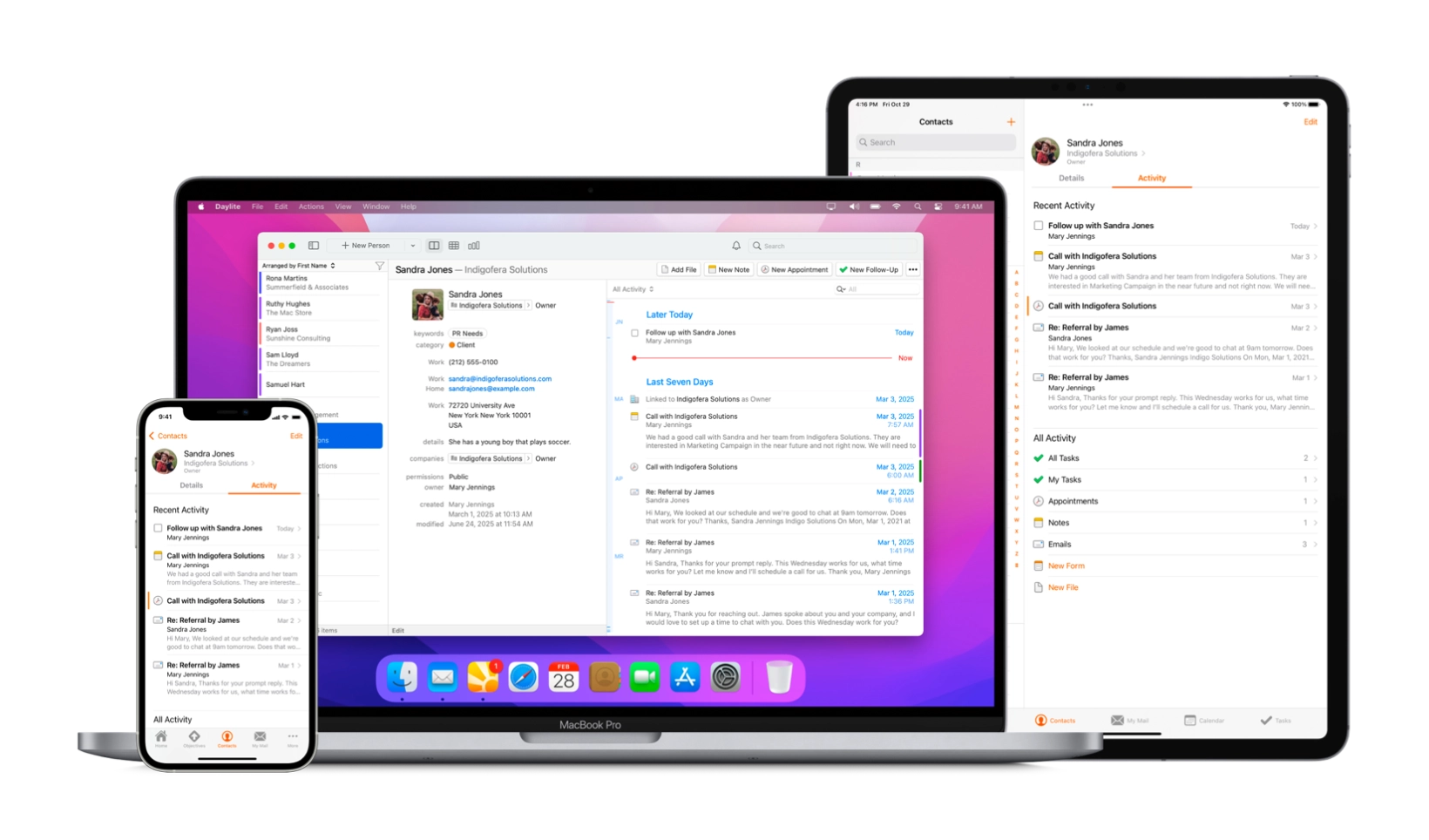
Daylite connects clients, cases, emails, notes, documents, and deadlines all in one place. Everything stays in sync across your mac devices, online or off, wherever you are. That means faster prep, reliable follow-through, more time for potential and current clients, and sharper focus on accuracy and advocacy instead of admin.
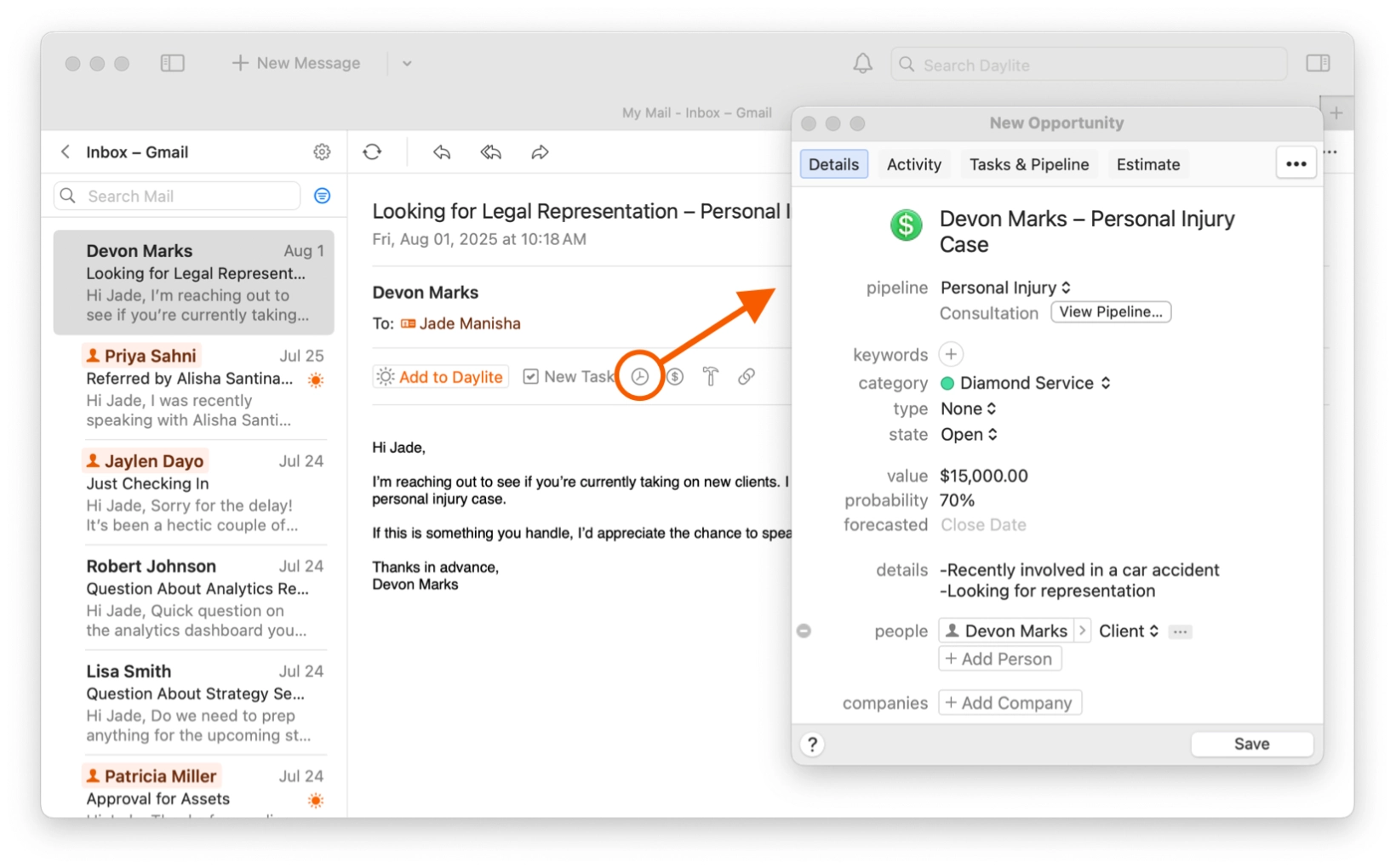
New matters don’t wait for office hours. A client referral, a returning client, a consultation request, or an after-hours email can all spark new business. Track it all in Daylite. With Mail in Daylite, make your inbox actionable, instantly turning every email into a note, task, meeting, or opportunity—linked to the right contact and matter—so nothing slips away.
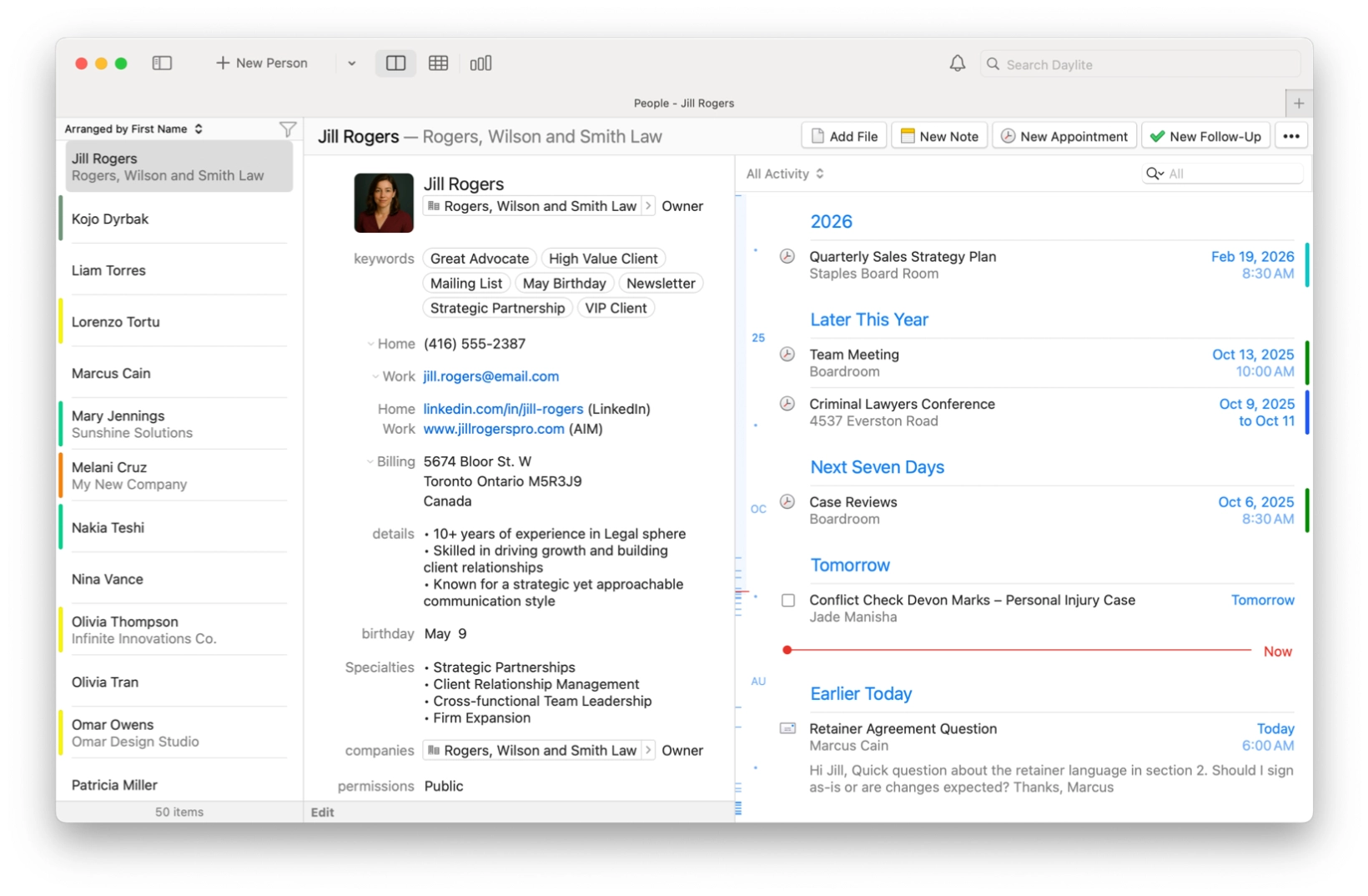
Daylite links every note, call, and email to the right client and case. Review years of history in minutes, not hours, all in one place. No need to dig through multiple documents on different apps or endless emails to get caught up.
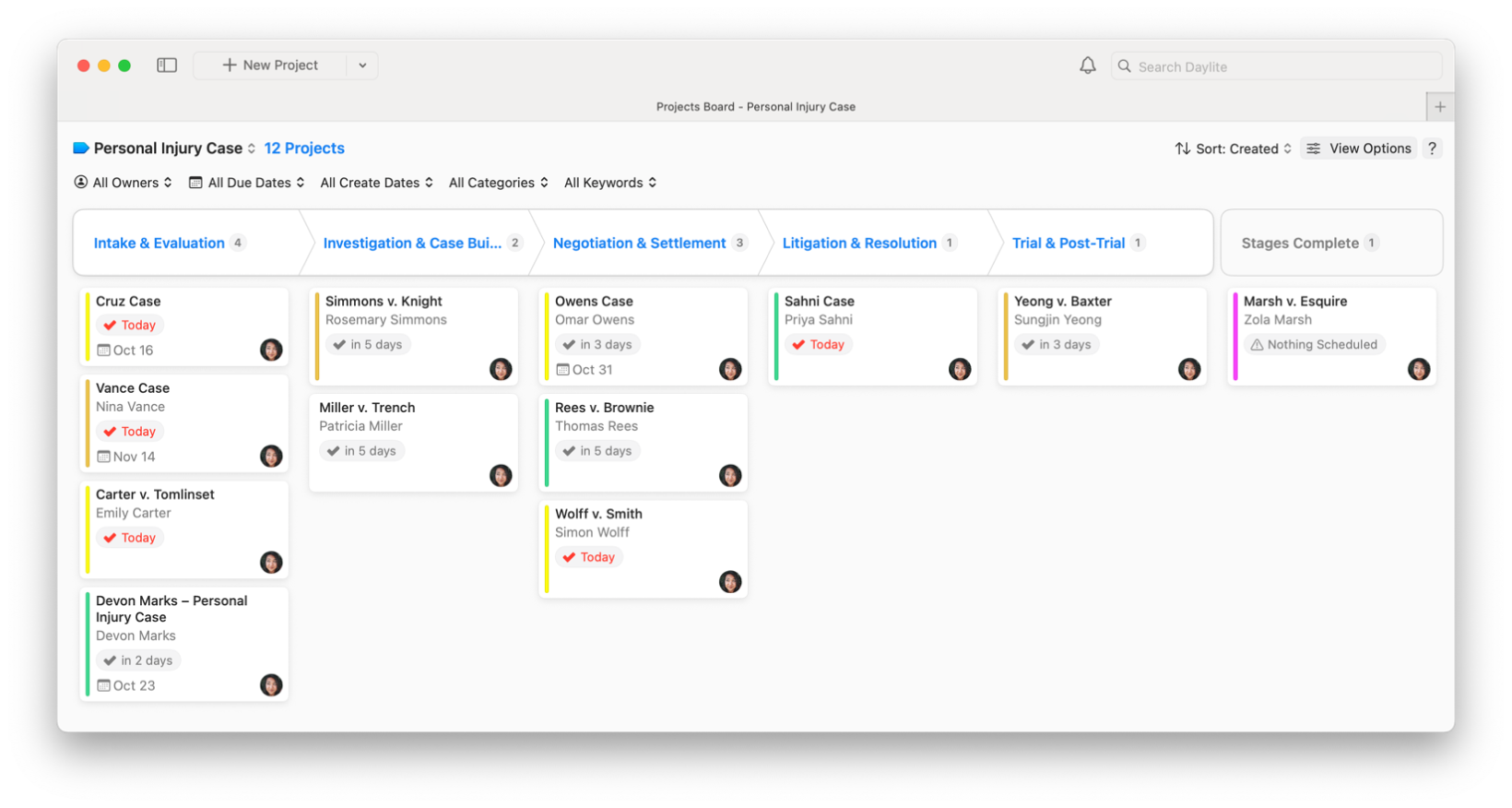
Every case has moving parts, including motions, research, filings, vendors. Daylite keeps it all connected with activity sets and pipelines for repeatable workflows, and Projects Board so you can see overall progress and bottlenecks at a glance. Tasks, documents, hearings, and reminders all stay linked and tracked.
And because deadlines don’t wait, Daylite goes wherever you do. On Mac, iPhone, and iPad, you can update cases in real time—even offline in court or on a flight—knowing everything syncs the moment you reconnect.

Your schedule drives your practice. Hearings, mediations, client meetings, and filing deadlines all link directly to the right case in Daylite, so nothing gets lost. With built-in Meeting Links, you can add Zoom, Google Meet, or Teams in one click. No app-hopping, no broken links, no last-minute scramble.
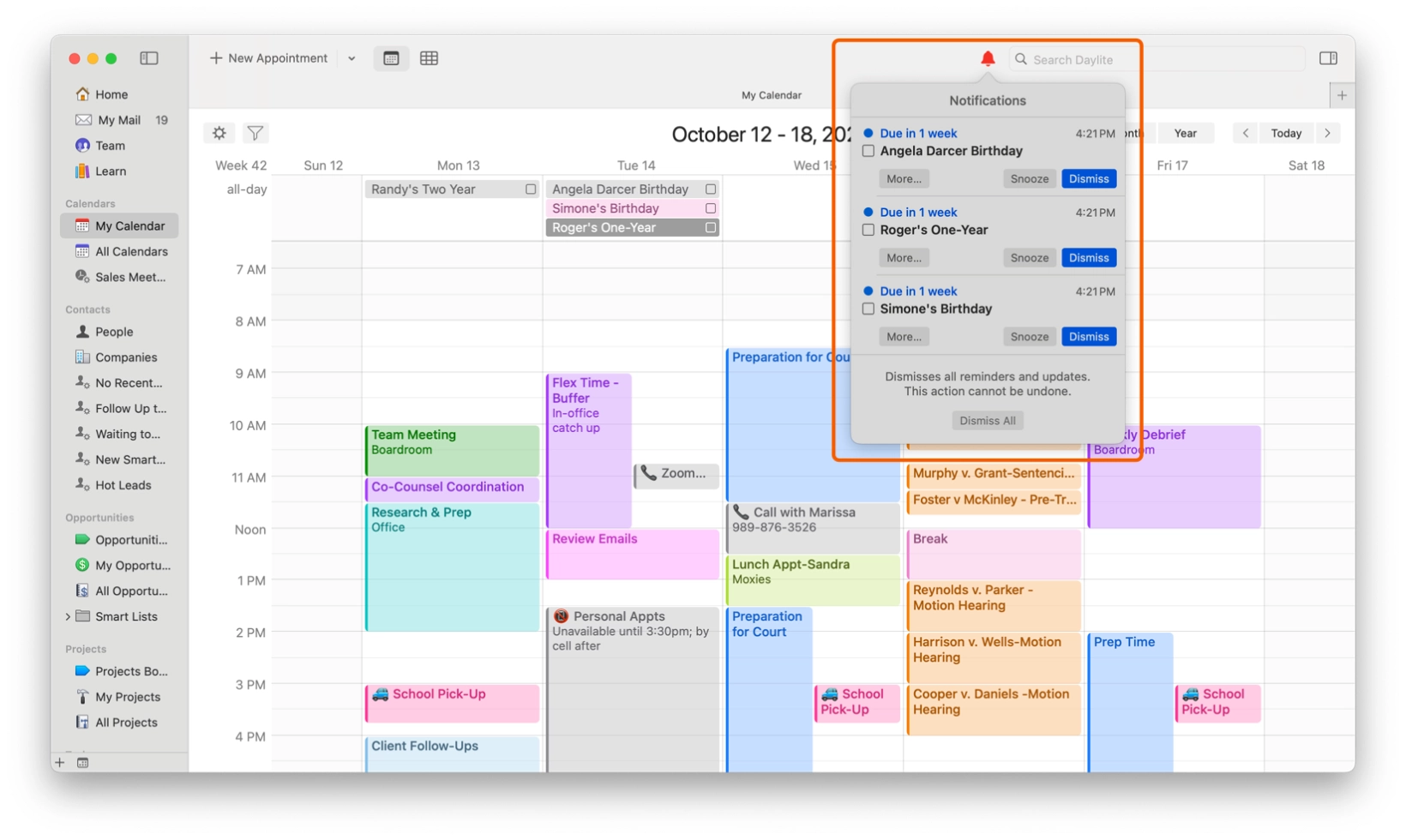
Reputation is everything. Daylite keeps you consistent with reminders, milestones, and personal touches. By debriefing and logging notes daily, you build a history that protects you years later and streamlines future work.
Features legal teams love about Daylite.
.svg)
Every conversation tied to the right
client and case.
Review years of details instantly, even across staff turnover.
Linked contacts, companies, and notes simplify screening.
Each matter tracked with its own tasks, docs, and events.
Standardize steps for intakes, filings,
and motions.
Co-counsel, experts, and vendors tied directly to matters.
Instantly see open cases, critical deadlines, or inactive clients.
Never miss filings, court dates, or
follow-ups.
Spend 10 minutes updating notes to build priceless history.
Manage cases from Mac, iPhone, or
iPad.
Capture notes and prep cases without Wi-Fi, syncing later.
Keep data current across Mac, iPhone, and iPad, so your whole team stays aligned.
Daylite in action: What customers have to say.

"You want Daylite because you want a program that works, built on a platform that works and that’s been steady for decades. And you want your CRM to sync and integrate with everything you use to run your practice. Daylite gets rid of lots of headaches. The last thing you need to find out is that you missed a deadline because your CRM is not integrated and not keeping you informed as it should."


“I can now run my firm on my iPad or iPhone when I need to, and that’s an invaluable feature when I don’t want to be tethered to a laptop everywhere I go. All of our client information is synced and we are able to thrive as we work outside of the traditional office environment.”

“I usually bring my iPad to court with everything related to my cases. I take notes or create tasks or appointments, and when I’m back in the office, everything is synced with my Mac so I can start working right away.”

"We’ve seen amazing growth and Daylite has been a pivotal part of that success by allowing us to really ramp up our capacity and keep track of everything."

.svg)
How legal teams use Daylite.
Lawyers and paralegals juggle multiple cases, each with endless details. Daylite gives them one hub so nothing falls through the cracks. For example:
.svg)