.svg)


Supercharge Your Email
to Unlock Business Potential
Email powers your business—but without the right system, critical details, opportunities and work get lost. Daylite pulls your inbox into its integrated system of CRM, sales, projects, calendars and tasks, so your emails become part of your workflow, not just another thing to manage.


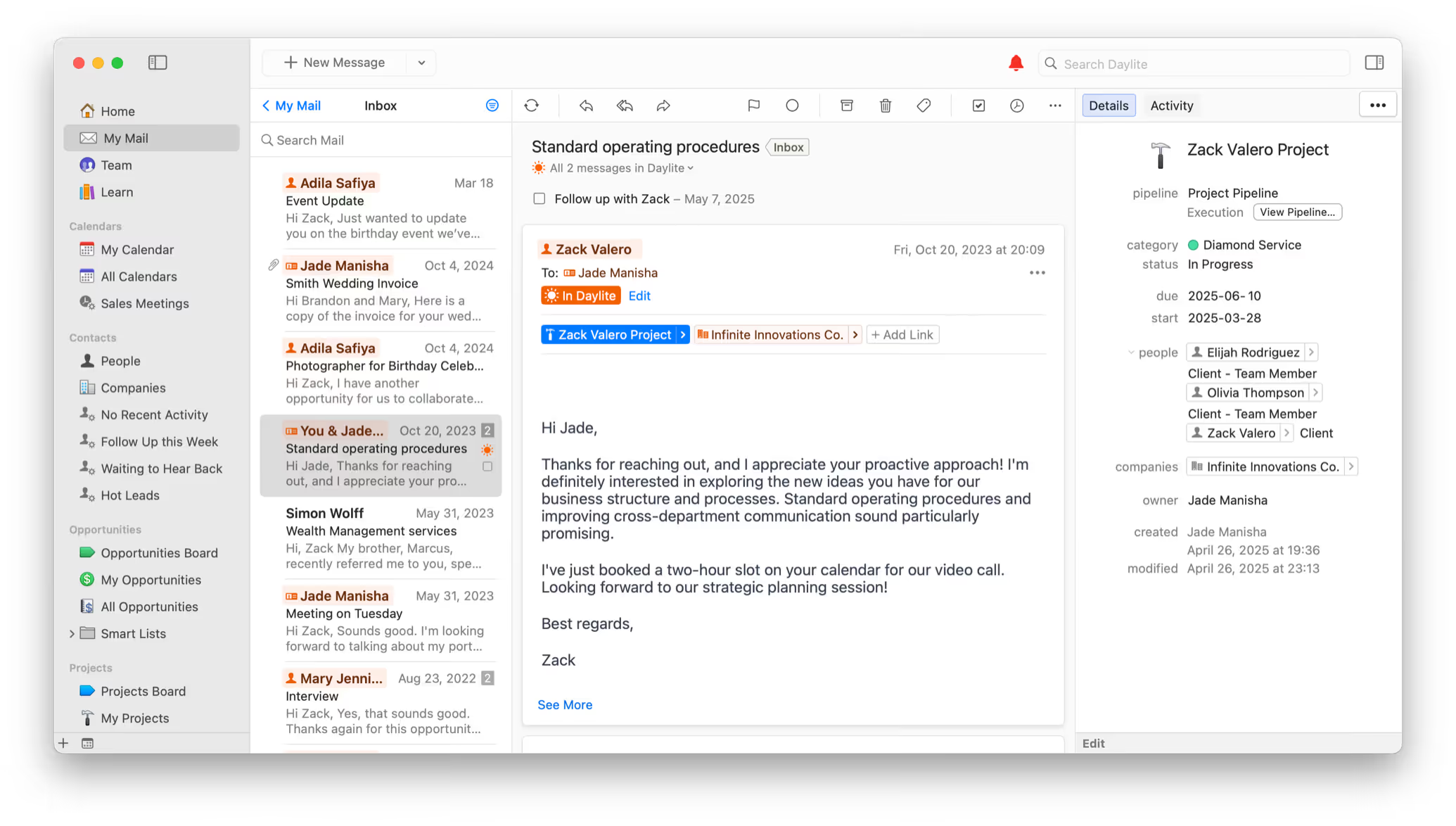



The email struggle is real.
You’ve tried flags, folders, and filters—but email still feels overwhelming.
The truth is, traditional email tricks just shift the burden to you. You waste time digging for info, missing follow-ups, and manually keeping track of what matters. Things slip. Opportunities are lost. Reputations take a hit.
By bringing your inbox directly into Daylite, your emails seamlessly integrate into your contacts, sales opportunities, projects, calendar, and tasks. That means fewer missed details, faster follow-up, and a smoother workflow—without extra effort.
With Daylite, email management finally works for you.
Business intelligence that levels up your email.
Daylite doesn’t just read your email—it understands your business. Its intelligent features help you process email faster, prioritize what matters, and take action without losing momentum.
.svg)
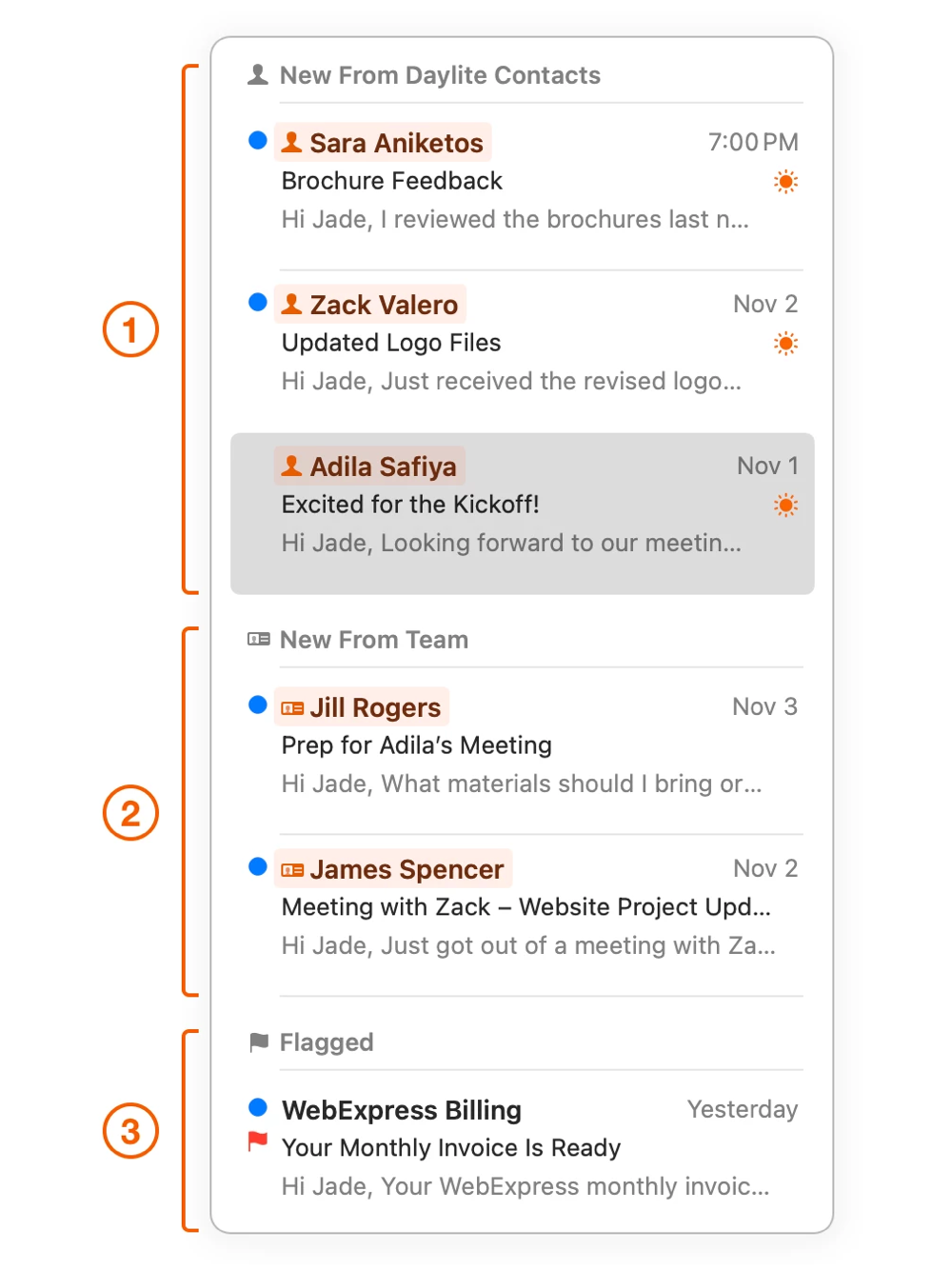
Cut through email clutter so you can focus on the messages that move your business forward. Priority Inbox surfaces emails linked to your clients, prospects, and team, automatically grouping them into three smart groupings: Contacts in Daylite (1), Daylite Users (2), and Flagged Emails (3). This helps you focus on the conversations that matter most, act faster, and stay on top of what moves your business forward.
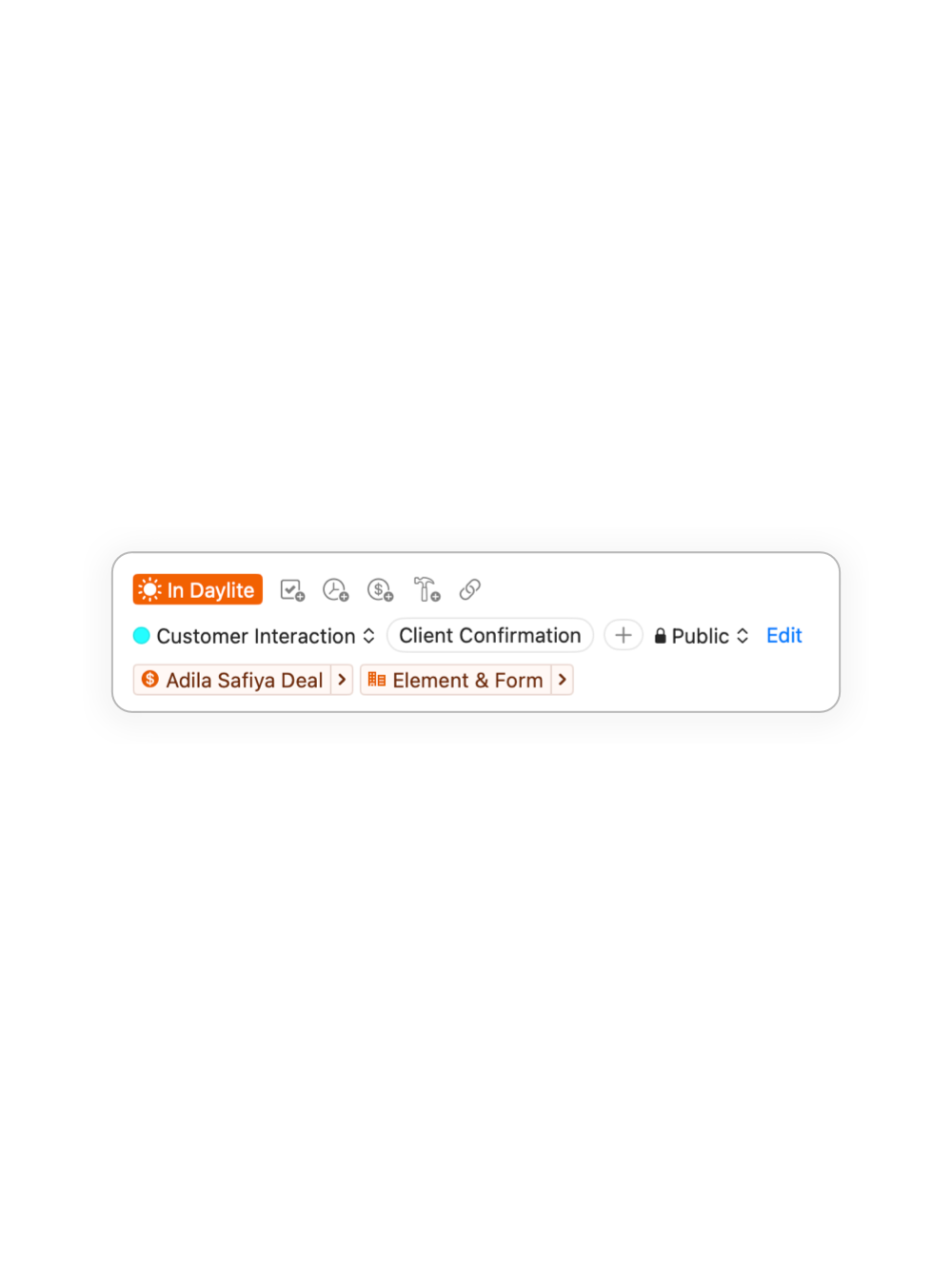
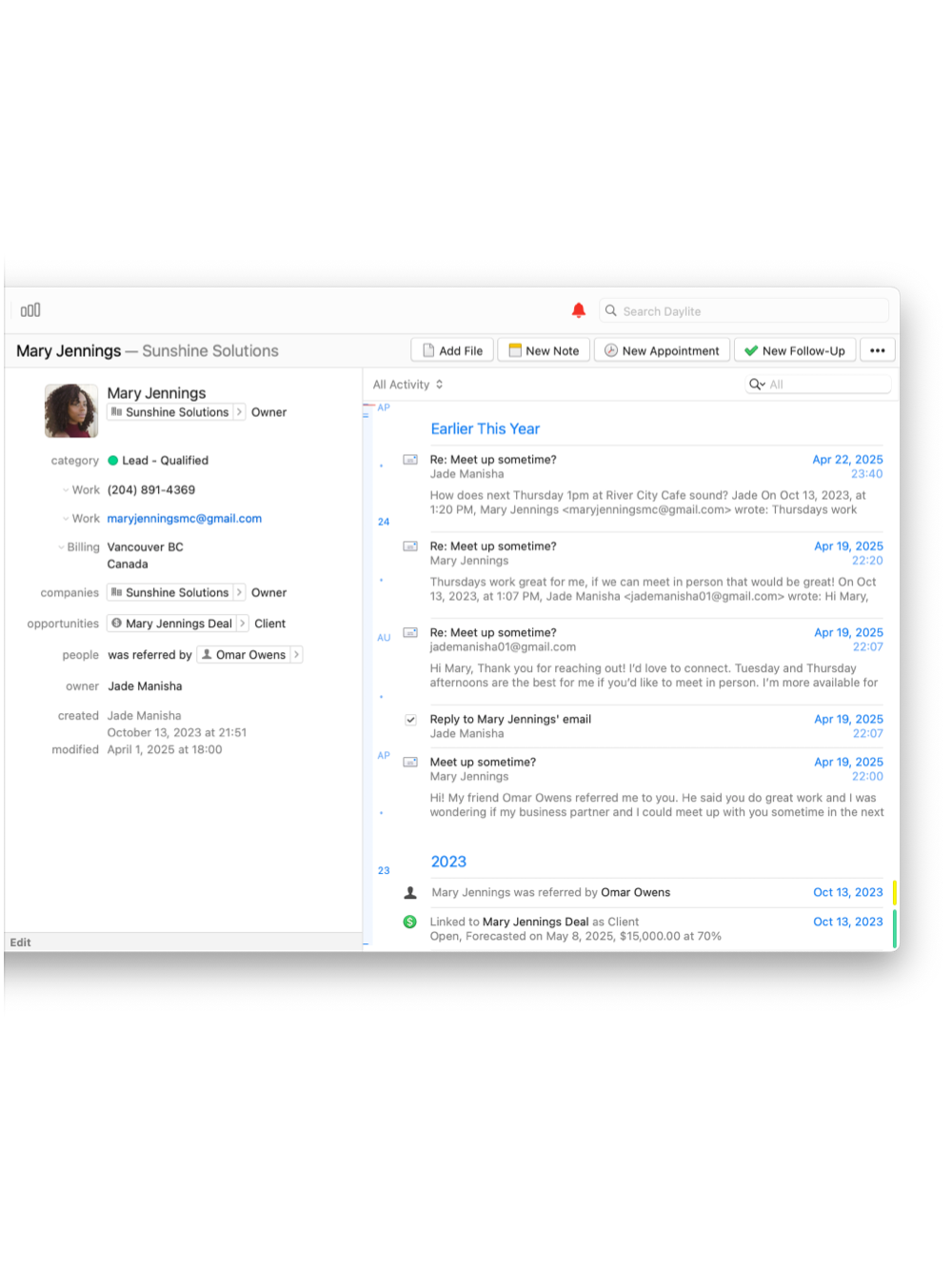
Daylite automatically links emails to the right contacts, sales opportunities, and projects—so your emails stay organized without extra effort. When you pull up a client or project, the full communication history is right there.
Stay one step ahead while reading emails. Daylite intelligently highlights related contacts, sales opportunities, and projects—so you have the full context right alongside the message.
Sets you and your business up for success.
The true power of email isn’t just in managing it—it’s in turning messages into action.
That’s what Daylite does. It transforms your inbox into a productivity engine. Better still, with every message, you’re building a connected history and moving work forward. That’s what makes Daylite different—and that’s how it drives your business forward.
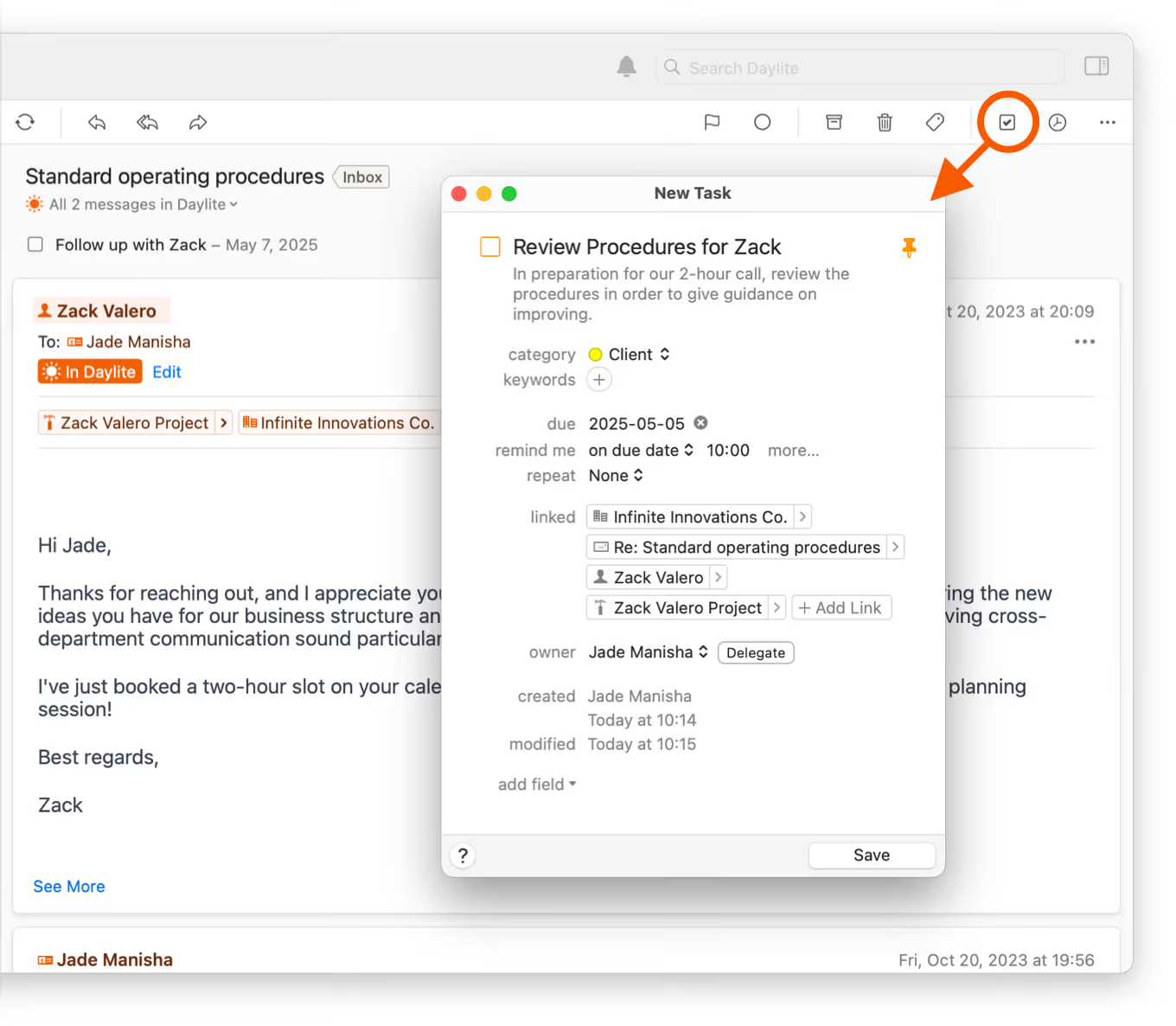
Turn an email into a task with a due date and reminder, so nothing slips through the cracks.
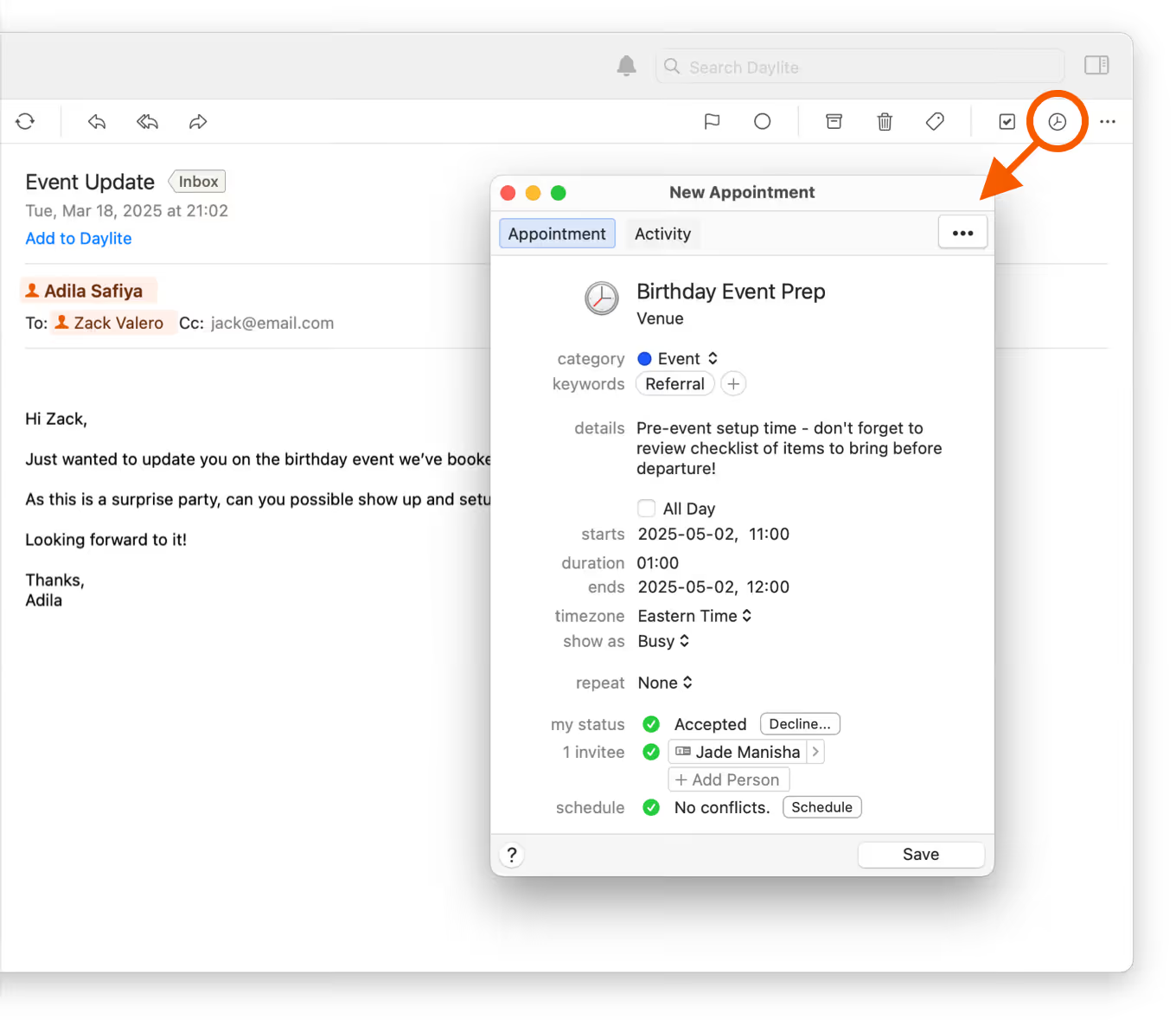
Block off time for meetings or deep work—right from the email. Everything stays linked.
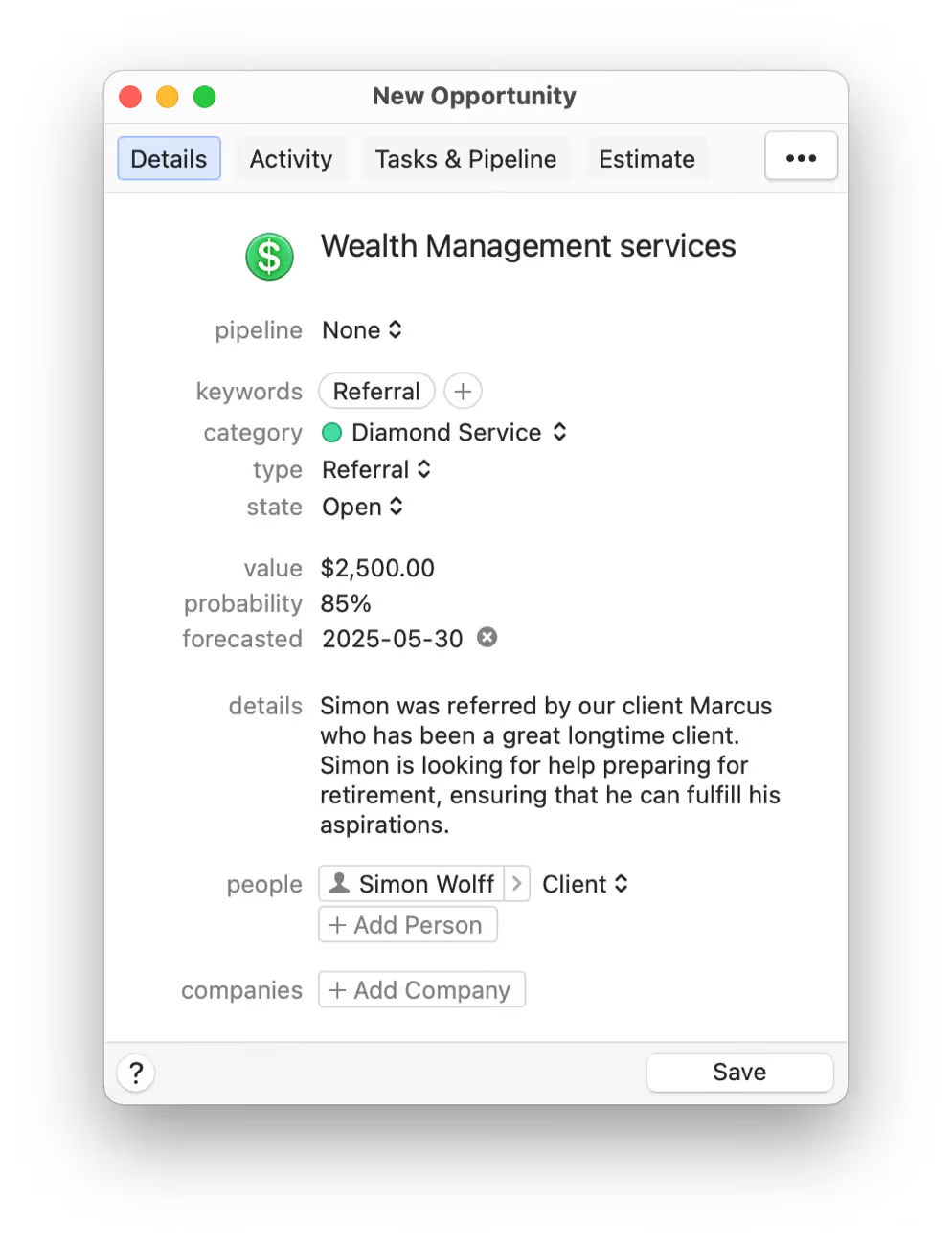
Don’t let sales leads stay buried in your inbox. Turn emails into sales opportunities and keep them moving through your pipeline.
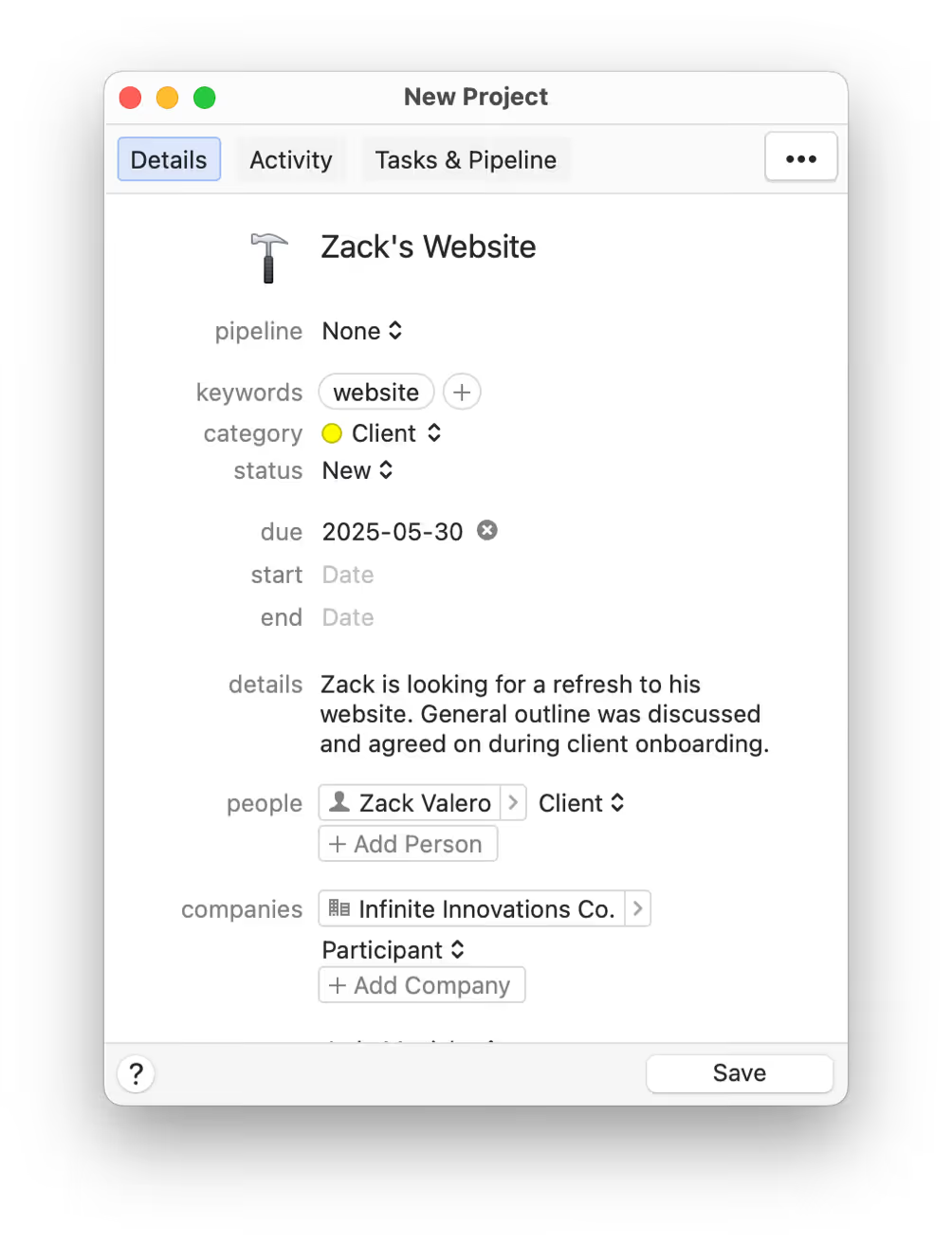
Keep email conversations connected to tasks and appointments within your projects. Everything stays in one place.
Process email faster with Daylite power.
Daylite gives you the tools to process your inbox more efficiently, without relying on disconnected workarounds or switching between apps. From full account search and conversation view to linkable attachments and smart categorization, Daylite helps you stay organized and respond faster.
These powerful features live inside a system designed for business, so managing email isn’t just easier, it’s more impactful in helping your business succeed.

Create multiple email signatures for your different roles, teams, or tones.

Consolidate your email across multiple accounts and manage everything in one place.

Keep email attachments linked to contacts, opportunities, and projects in Daylite.

Handle incoming calendar invites without leaving Daylite.

Find any message fast with full search across your entire email account.

See all messages in a thread grouped together for easy reference.

Use keywords and categories when filing emails so they’re easier to find later.

Decide who can view stored emails and control access across your team.

Access all your folders so your entire email account stays organized and accessible.

Why Mail in Daylite is Better
You may not feel overwhelmed by email. But if you’re constantly flagging, chasing, or forgetting, you’re spending more energy than you think.
Traditional email is passive—it waits for you to act. Daylite is active. It links, organizes, and connects your email to the rest of your business, helping you stay in control and take action faster.